Updated
Sep 03, 2026
Updated
Sep 03, 2026
 3 min read
 Checked regularly

To delete your KuCoin account, open Account Security → Delete Account. Before confirming, withdraw your assets, close open positions and export any records you may need. Deletion is permanent and cannot be reversed. If you only need a break, freeze the account instead: your data and trade history are kept.
KuCoin has two ways to deactivate an account:
- Temporary freeze: you can apply to unfreeze after 24 hours
- Permanent deletion with no recovery option
How to freeze a KuCoin account temporarily
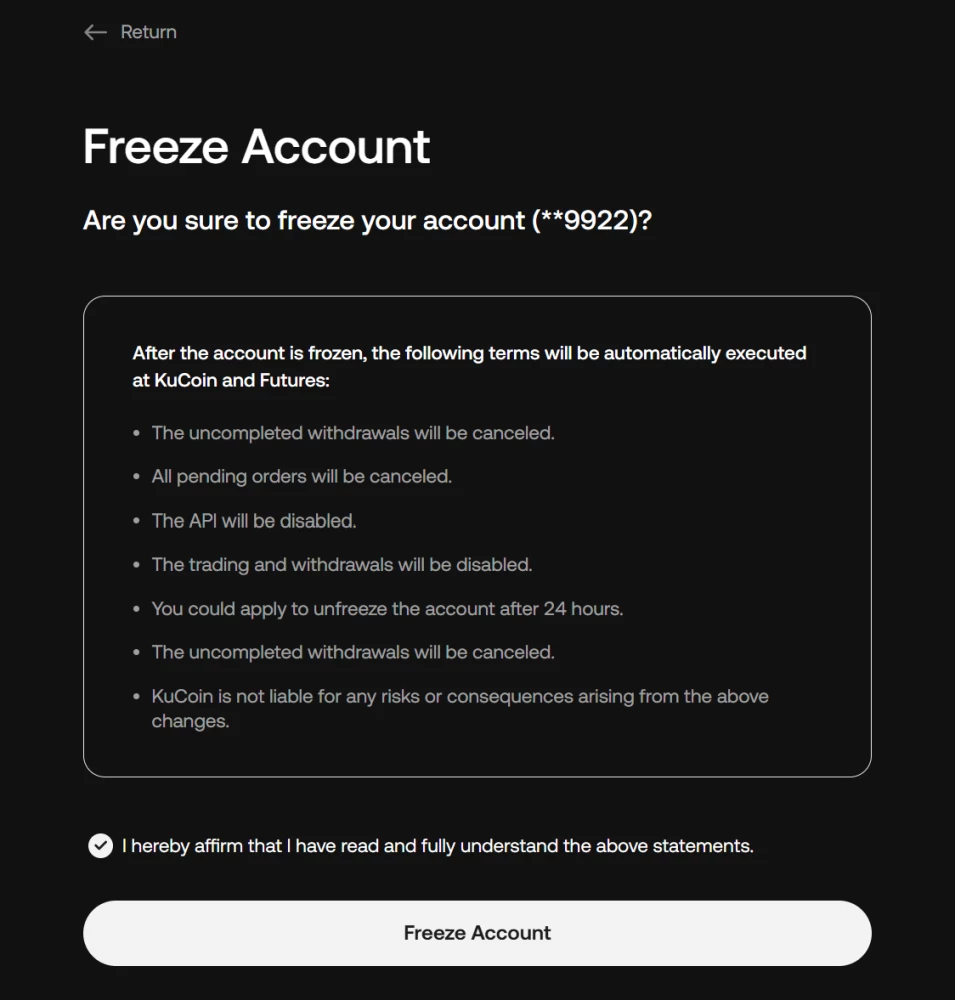
Before you freeze, know what happens the moment you confirm: pending withdrawals and open orders are canceled, trading stops and API keys are disabled. The current confirmation window no longer says what happens to open futures positions, and KuCoin states it is not liable for consequences of the freeze. If you hold open positions, close them yourself first rather than find out.
The steps:
- Log in to KuCoin.
- Click your profile icon and choose "Account Security", or open "Security" in the left-hand menu.
- Scroll down to "Account Management", find "Freeze Account" and click "Freeze".
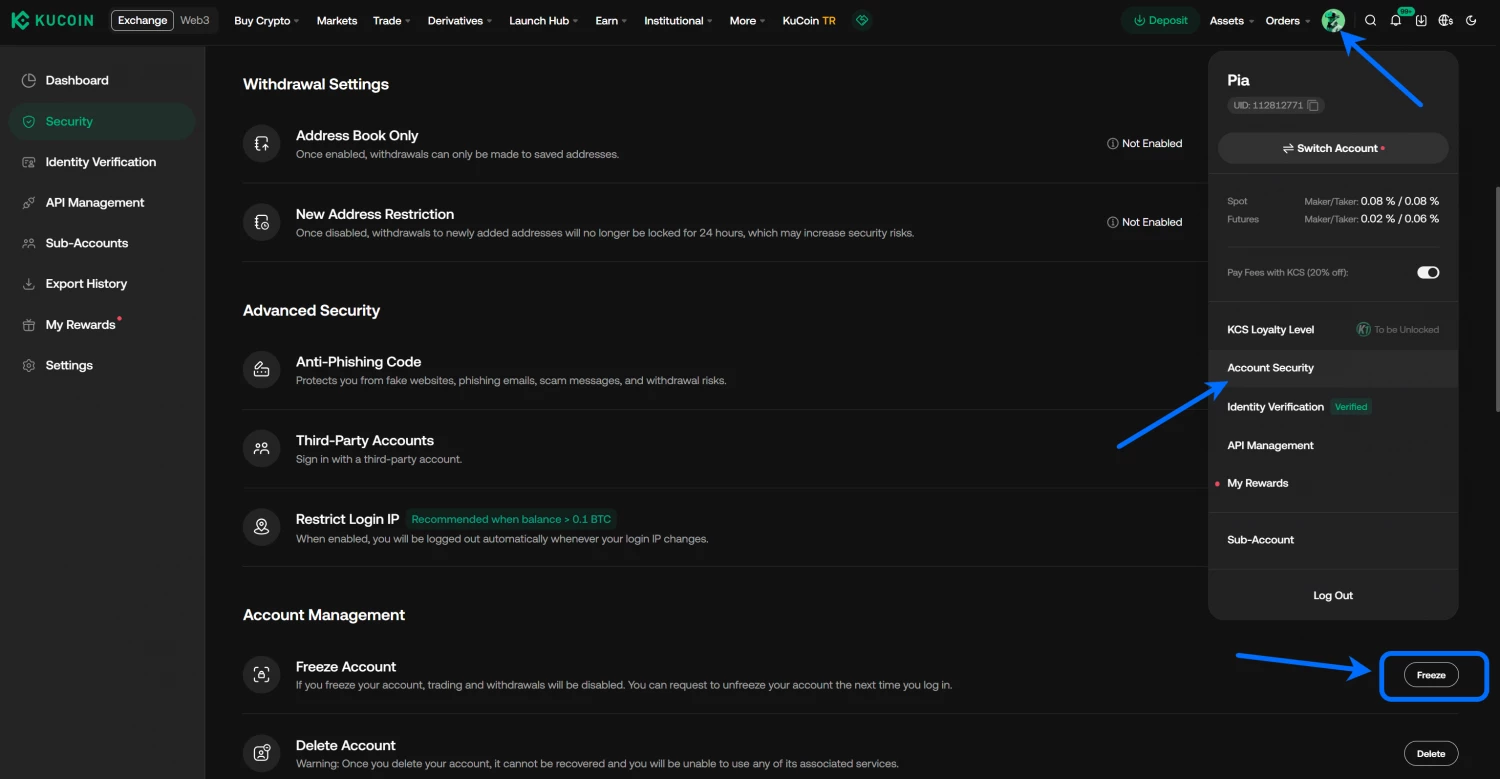
- Read the warning list, tick the box and click "Freeze Account".
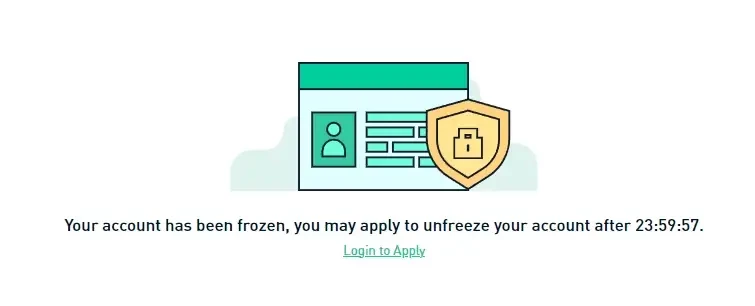
You will see a confirmation that the account is frozen, with a countdown until you can apply to unfreeze.
How to unfreeze a KuCoin account
After 24 hours you can apply to unfreeze:
- Log in with the same email and password.
- Click "Apply to Unfreeze" on the screen that appears.
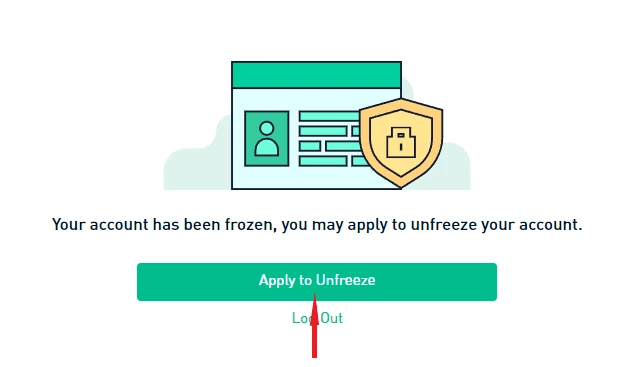
- Pass the security check: enter a code from SMS or email, then upload photos of your ID and a selfie with it.
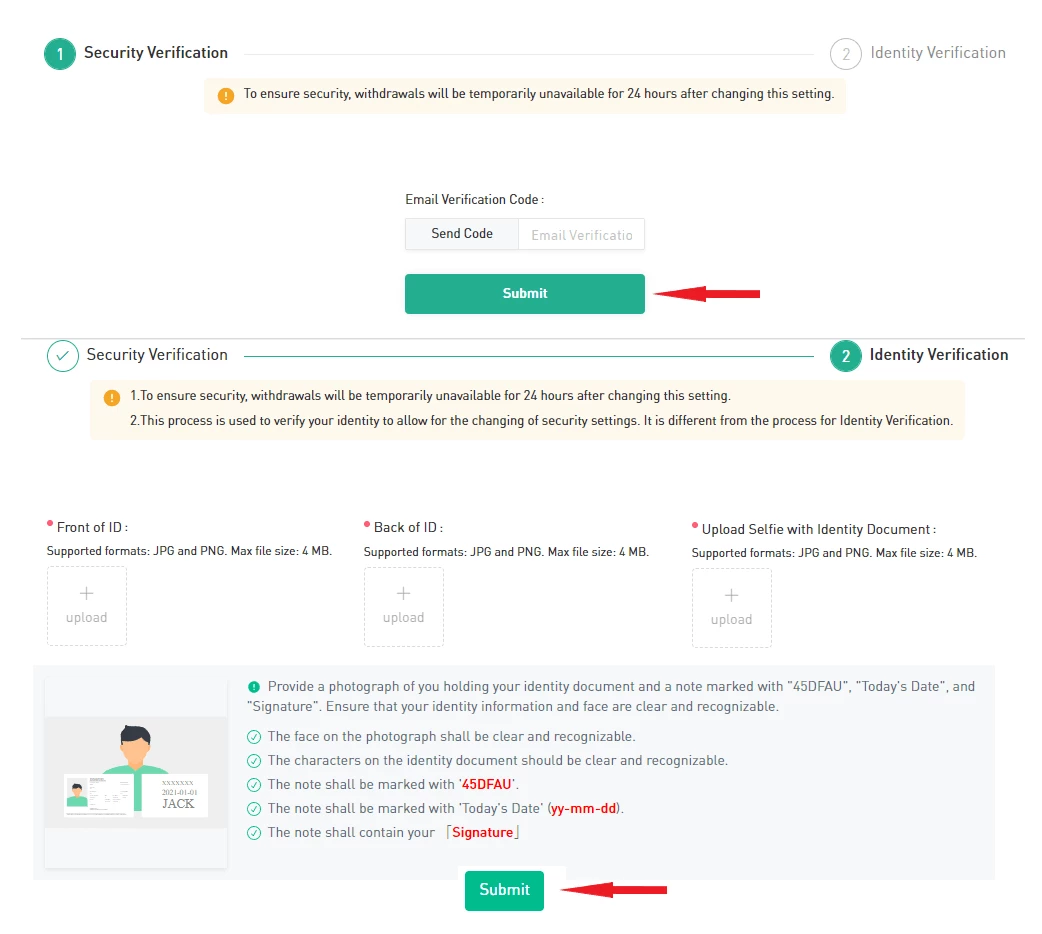
- Click "Submit".
The application goes to manual review. In our case, the review took a few business days. Once approved, you get an email confirming the account is unfrozen. One thing to plan around: withdrawals stay blocked for another 24 hours after the security check. KuCoin applies this to every security settings change.
How to delete a KuCoin account?
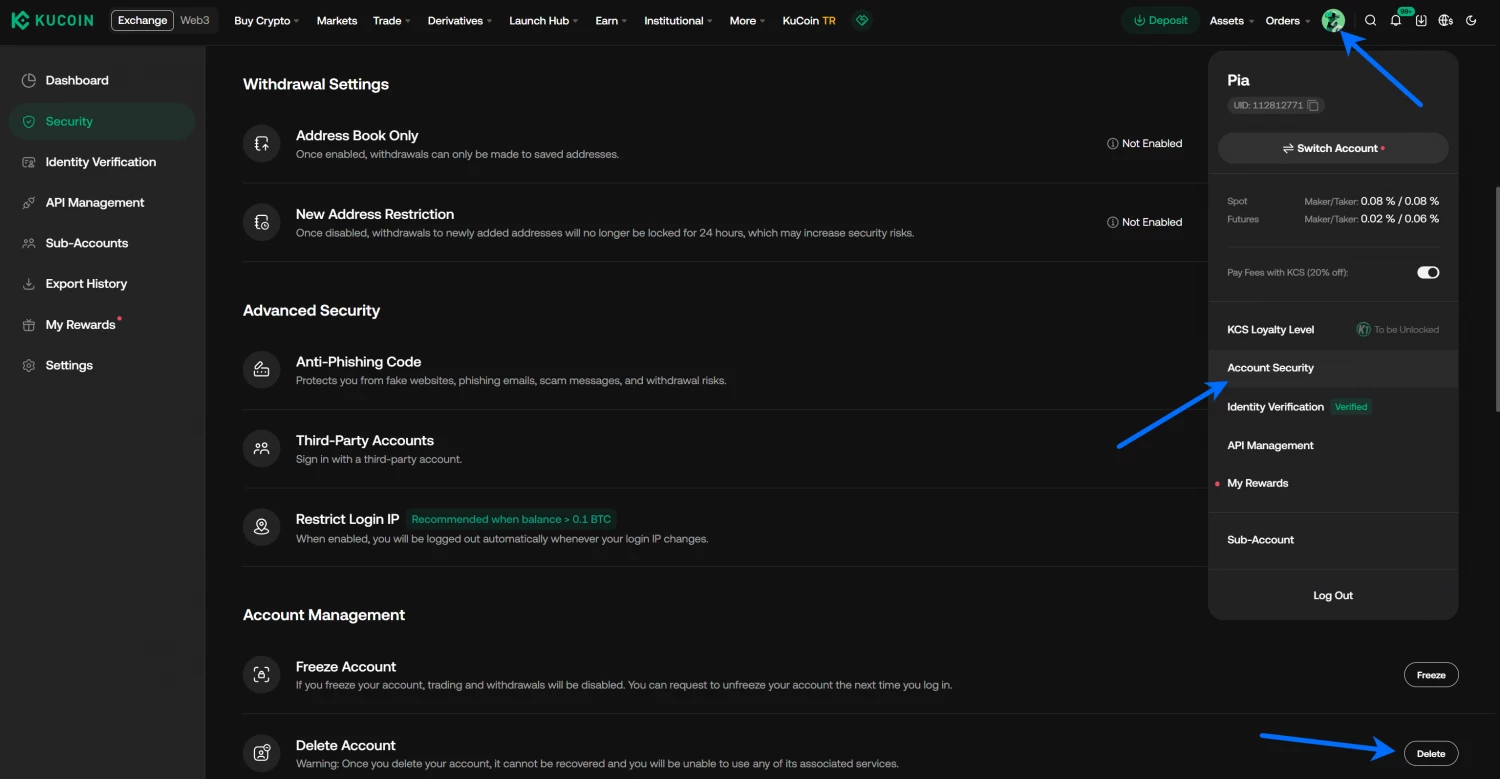
- Click your profile icon and choose "Account Security", or open "Security" in the left-hand menu.
- Scroll down to "Account Management" and click "Delete" next to "Delete Account".
- Read the warning. After deletion you lose login, deposits, withdrawals, trading and all account data. Deleted accounts cannot be merged or restored later.
- Tick "I fully understand and agree to the above" and click "Delete Account".
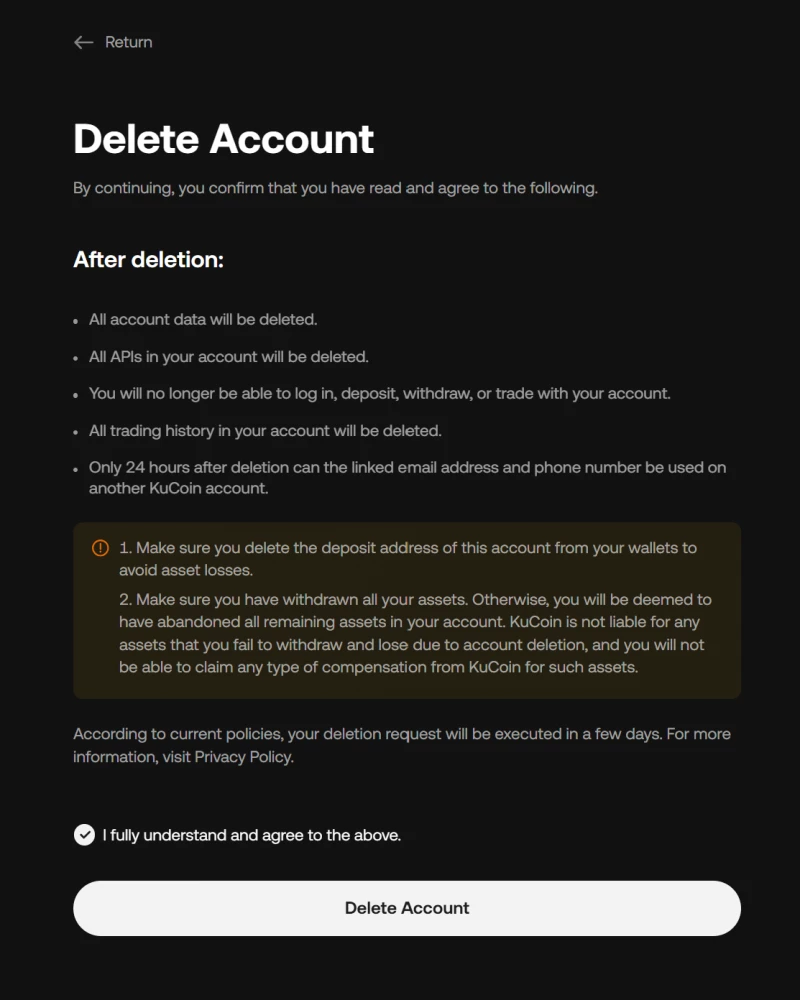
The request is executed within a few days. Until then the account formally exists; after that, recovery is impossible.
Why are users closing KuCoin accounts in 2026?
Regulation is the main story this year. In the US, a federal court order from March 2026 permanently bars KuCoin from serving American users unless it registers with the CFTC, with a $500,000 penalty on top of the $297 million settled in the earlier criminal case. In the EU, Austria's FMA blocked new business in February 2026 over compliance staffing; the block was lifted in May, but KuCoin EU still has no permission to start operations. If you are deciding whether to leave or stay, our KuCoin review covers what the exchange still does well and where it stands now.