Updated
Sep 03, 2026
Updated
Sep 03, 2026
 4 min read
 Checked regularly
Which Networks Work for USDT in MetaMask
USDT works on Ethereum, BNB Chain, Polygon, Arbitrum, OP, Base, Solana and, since the multichain update, Tron. Older guides still call MetaMask an Ethereum-only wallet; the app moved on, the guides did not. Two details worth knowing. Each non-EVM network has its own address format: EVM networks share your 0x address, while Bitcoin, Solana and Tron show separate addresses in the same wallet. And on some L2s the token is labeled USDT0: that is Tether's omnichain version of the same coin, same dollar, same issuer. Check the contract if in doubt, but the zero in the name is not a red flag.
How to Find a USDT Address in MetaMask
We use Ethereum (ERC-20) in this example; any supported network works the same way.
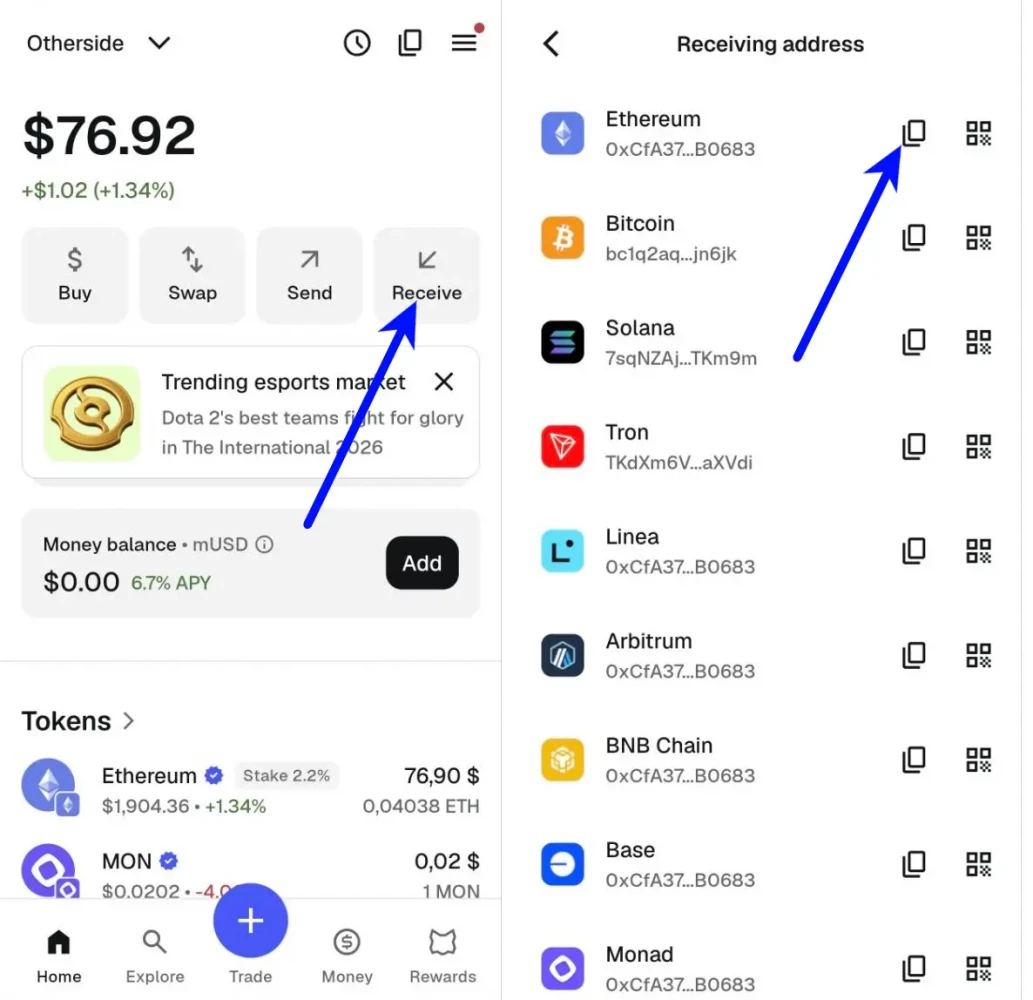
- Open MetaMask and tap "Receive".
- Pick the network and copy the address for it. For Ethereum that is your 0x address; for Tron the app shows a separate address starting with T.
How to Transfer USDT From an Exchange
We ran a real withdrawal from BingX. The flow is similar on other major exchanges, only the menu names differ.
- In MetaMask, copy your Ethereum address as shown above.
- In the BingX app, open "Assets" and tap "Withdraw", pick USDT.
- Choose "On-chain", paste the address, set the network to Ethereum (ERC20), enter the amount and tap "Withdraw".
- Confirm with your usual security check: email code, 2FA or both, depending on your settings.
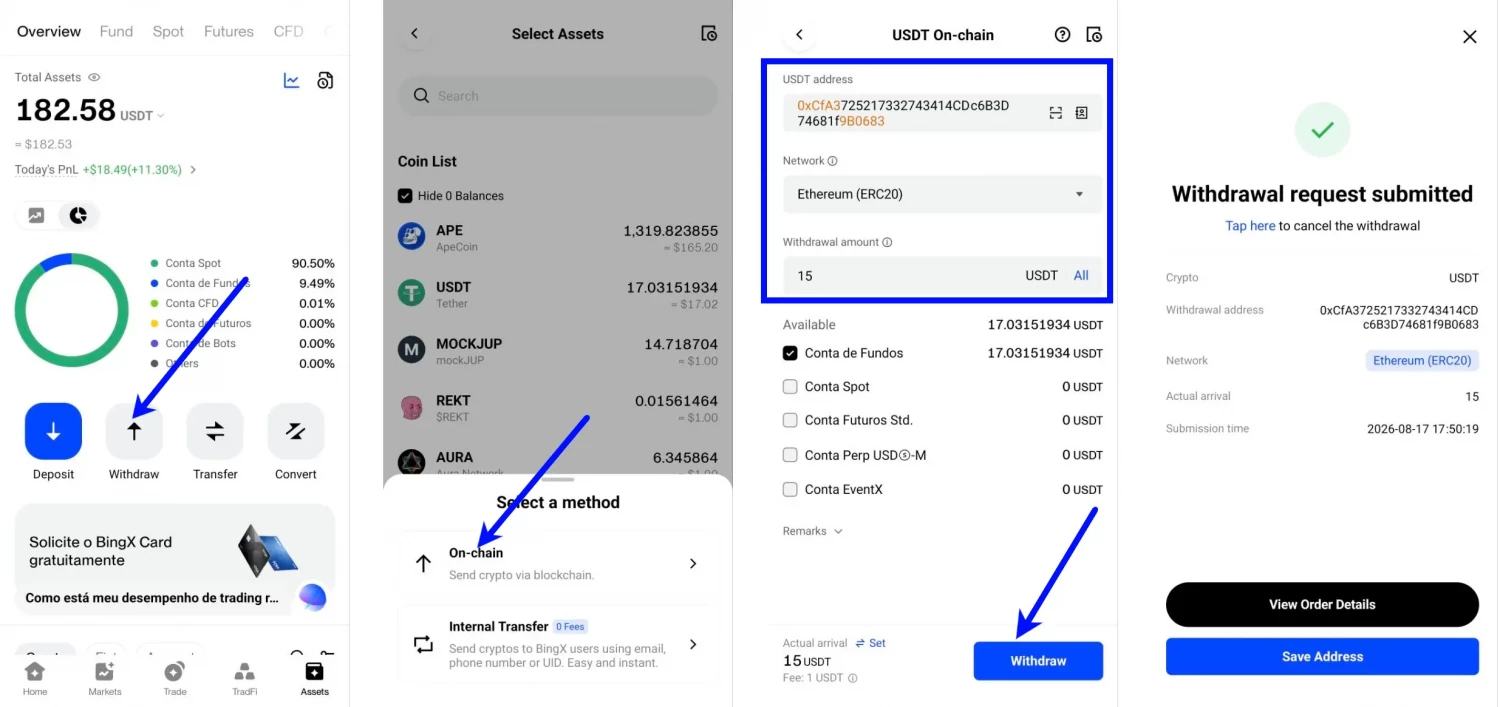
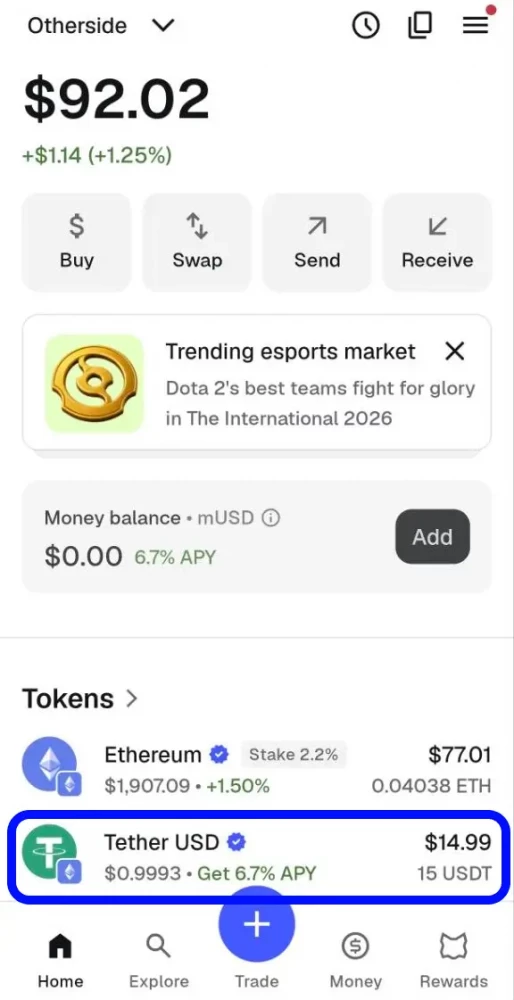
In our test the coins landed in about two minutes; BingX charged 1 USDT for the ERC-20 withdrawal. Withdrawal fees are dynamic and differ by network: check the "Fee" line in the withdrawal form before confirming. And the two habits from every guide we write: verify at least the first and last characters of the pasted address, and send a small test amount first when the sum is serious.
Do You Need ETH to Send USDT From MetaMask?
Usually yes: fees are paid in the network's native coin. For our Ethereum example that means a few dollars' worth of ETH on the same address; on BNB Chain it is BNB, on Polygon it is POL (not MATIC, old guides still get this wrong), on Solana it is SOL, on Tron it is TRX. The exception: on several networks, including Ethereum, BNB Chain, Polygon, Arbitrum and Base, MetaMask can now take the fee from another token and convert it automatically, so a zero gas balance is no longer a dead end there. Receiving needs nothing either way.